Context and challenges
HMRC required a working prototype to test a new digital tax submission journey involving share-related taxable income. The system needed to accurately record submission dates and dynamically calculate statutory deadlines.
Displaying accurate time-sensitive information during user testing was critical to ensuring users understood payment windows and late submission consequences.
The prototype needed to align with the GOV.UK Design System while demonstrating complex date logic within a simplified user journey.
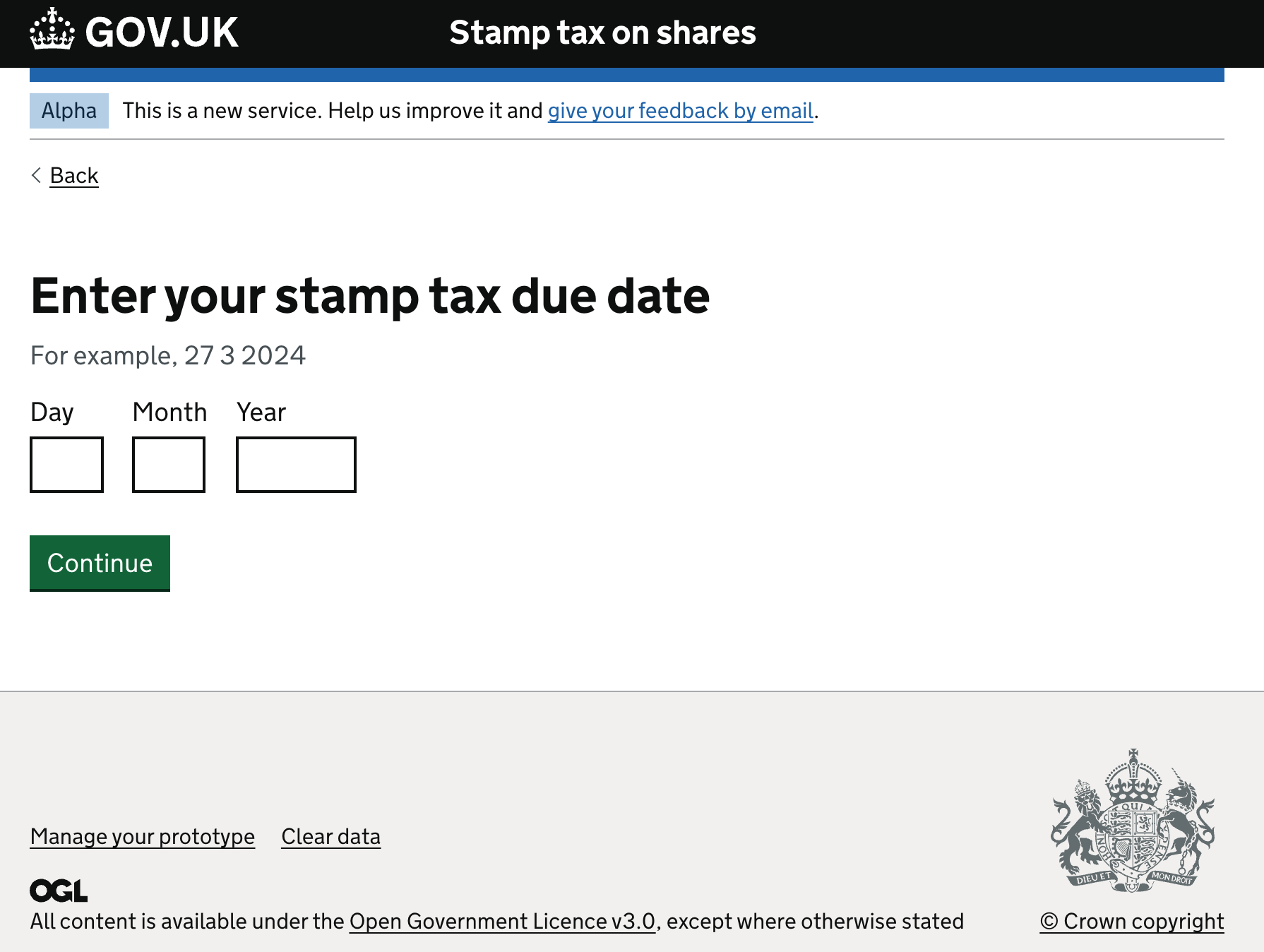
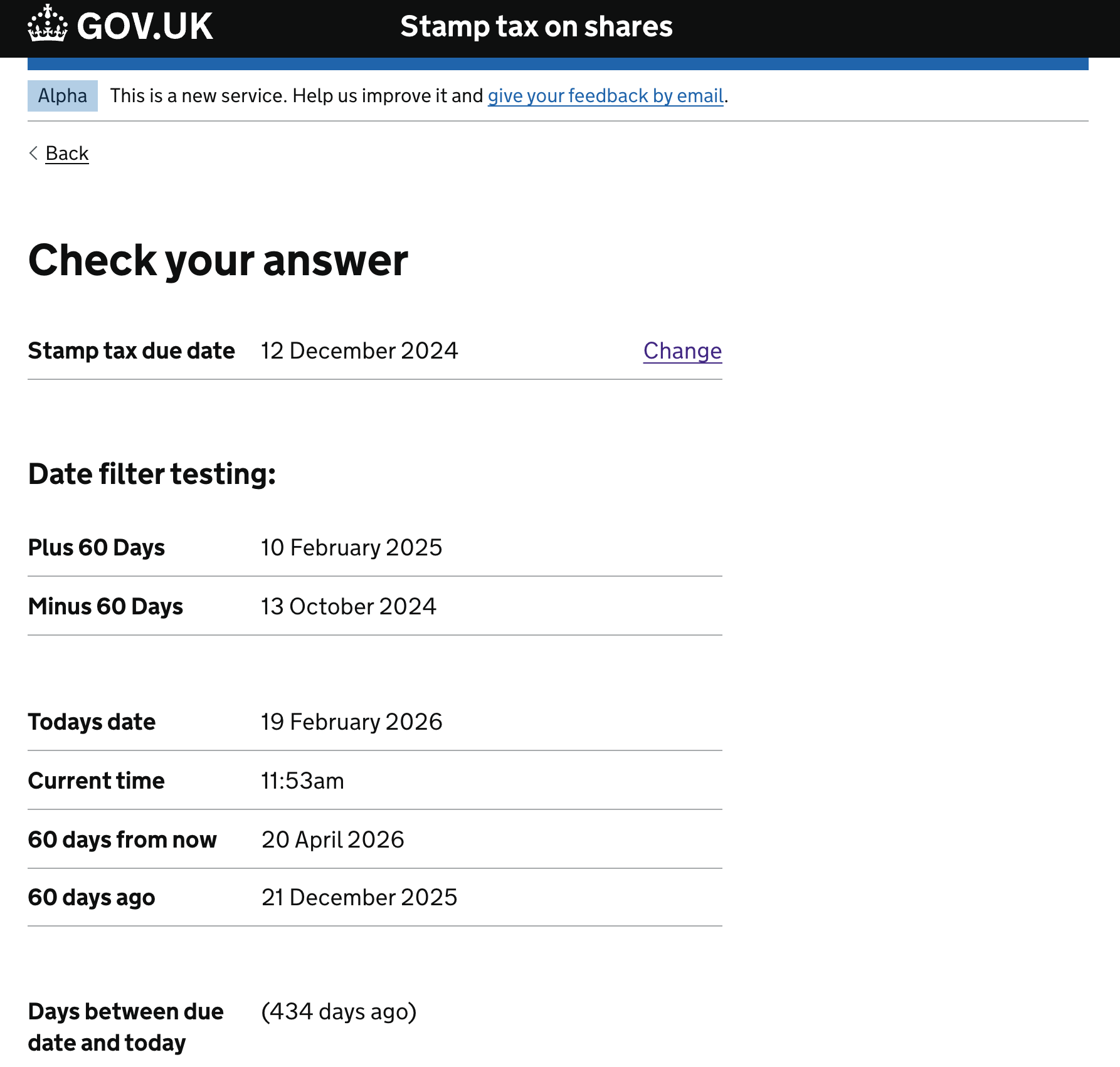
I created a GOV.UK Prototype Kit prototype for HMRC that enabled users to submit taxable details on shares. The submission date needed to be recorded and compared with today’s date to calculate whether a payment was late. Displaying exact dates and times made the prototype more useful for user testing.
My role
Working alongside IBM and HMRC’s internal UCD team, I was responsible for:
- Designing screen concepts aligned to the GOV.UK Design System
- Mapping complex tax submission journeys
- Observing and synthesising user research findings
- Building a working prototype using Nunjucks and GOV.UK Prototype Kit
- Implementing dynamic date calculations for realistic testing scenarios
Dynamic date handling
To simulate real-world tax submission behaviour, I implemented dynamic date handling within the GOV.UK Prototype Kit using X-GOV filters. This allowed deadlines to be calculated relative to the current date and displayed in user-friendly GOV.UK formats.
Installing X-GOV filters and working with dates

For the HMRC project, I worked closely with the internal UCD team to create a prototype in GitHub and stage it in Heroku. As with all government projects, the design followed the GOV.UK Design System to ensure it was consistent and accessible.
To record and present dates accurately, I used GOV.UK Filters, a GOV.UK Prototype Kit plugin that adds useful filters to Nunjucks templates.
Using govukDate filter enables the current time or date to be retrieved by passing the special word "now" (or "today").
Input: You submitted your application at {{ “now” | govukTime }}.
Output: You submitted your application at 10:45am
Similarly,
Input:This page was updated on {{ “now” | govukDateTime }}
Output:This page was updated on 21 October 2021 at 10:45am
Then I used duration to calculate a time and date in the past to display when the page was last updated using - numbers.
Input:Page last updated at {{ “now” | duration(-2, “hours”) | govukTime }} on {{ “today” | duration(-1, “day”) | govukDate }}
Output: Page last updated at 8:45am on 18th November 2025
I could also create a deadline from today using duration with a positive number and a measurement of time.
Input: Your deadline is {{ “now” | duration(5, “minutes”) | govukTime }}
on {{ “today” | duration(1, “month”) | govukDate }}
Output: Your deadline is 10:50am on 19th December 2025
Selected screenshots from the initial prototype show how a submission date was captured and compared with today’s date.