Designing a scalable SaaS platform for agriculture
I led interaction design across the Greenlight Suite, designing enterprise dashboards, mapping tools and a scalable cross-product design system.
- Enterprise SaaS dashboard and interface design
- Establishing and maintaining a scalable design system
- Running user testing sessions and synthesising insights
- Cross-functional collaboration with product and engineering teams
- Wireframing, prototyping and high-fidelity UI design
- Stakeholder workshops and product steering groups
Challenge 1: Quality Control dashboard
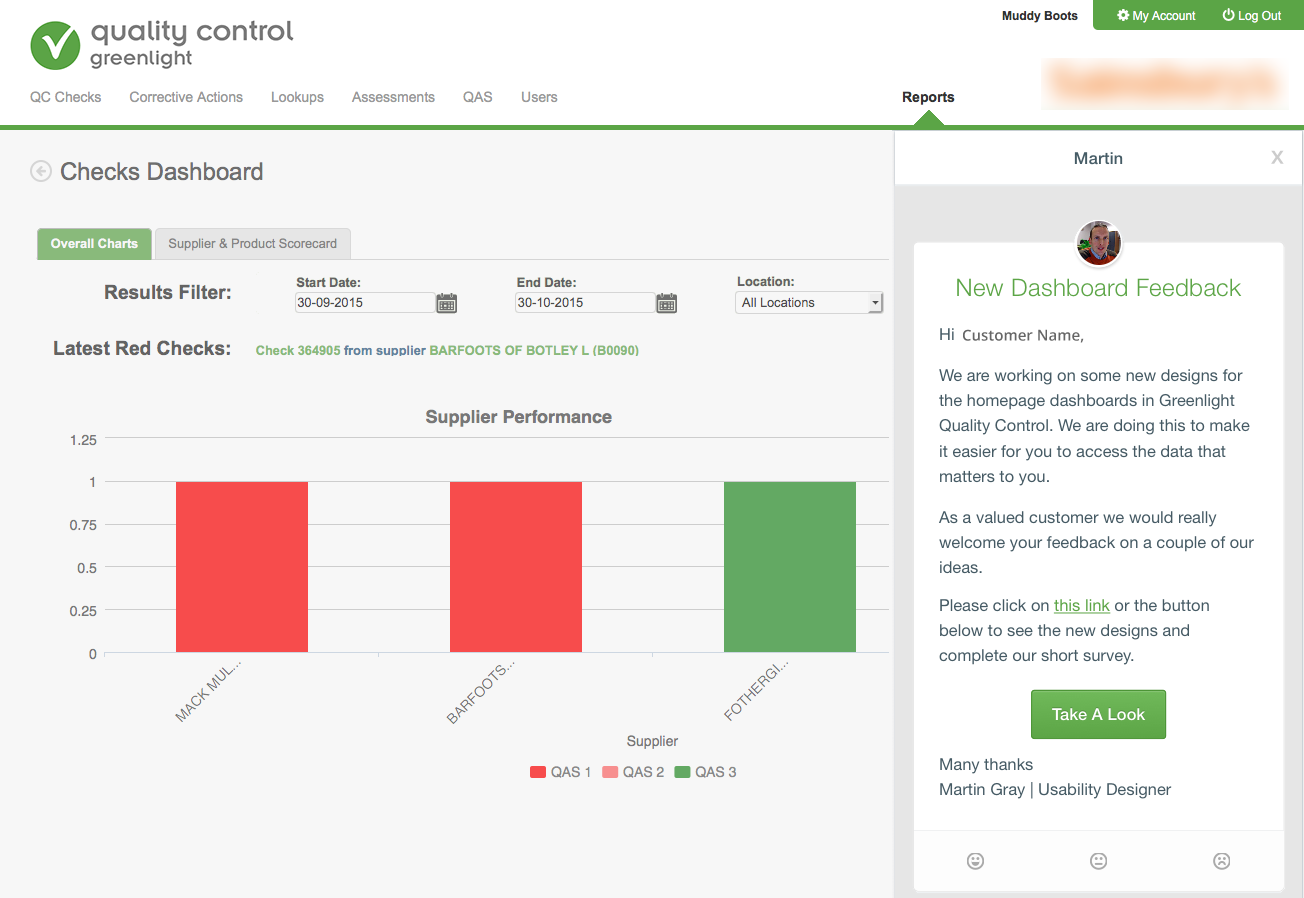
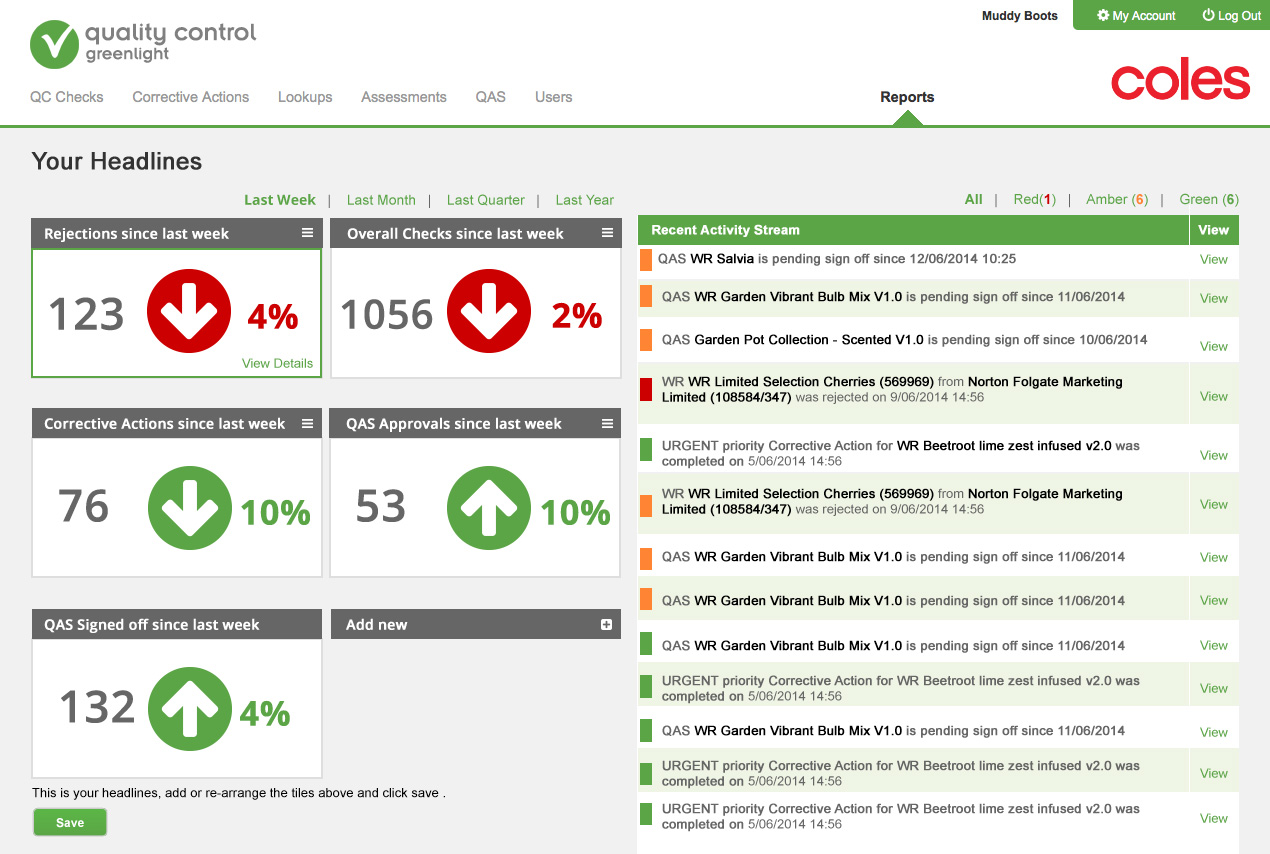
Muddy Boots Quality Control software is a B2B SaaS platform used by supermarkets, suppliers and manufacturers to monitor supply chain compliance and product quality.
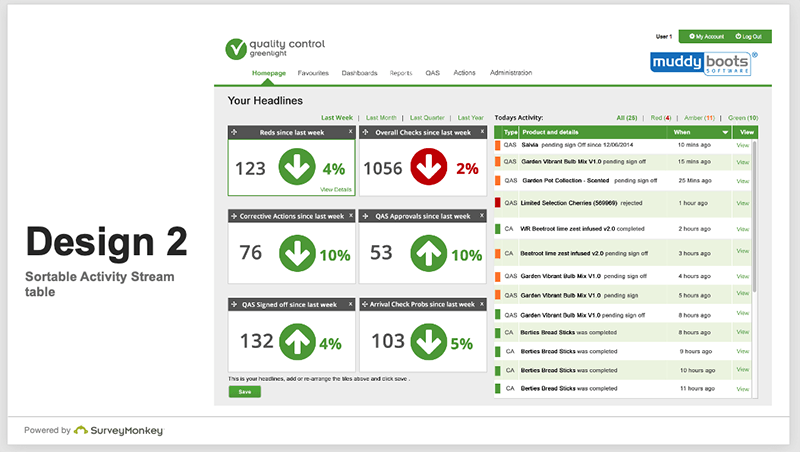
The existing homepage displayed a static list of assessments. It lacked hierarchy, data visualisation and quick access to frequently used reports, creating friction for repeat users.
Through user interviews, analytics review and contextual observation, I identified the need for a data-driven dashboard that surfaced key metrics immediately upon login.
Challenge 2: Crop management tool
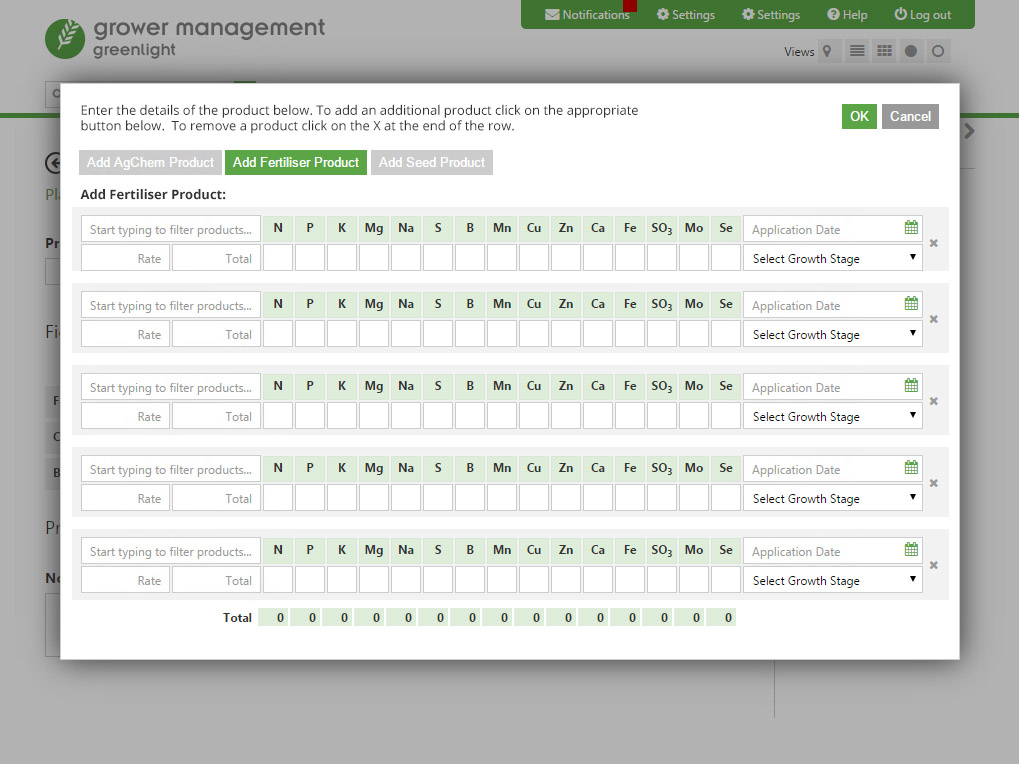
Greenlight Grower Management is an online crop management system from Muddy Boots. It enables farmers to record crop data in the cloud and share it with agronomists and contractors.
A key feature is field mapping. Previously, users named or described fields in ways that made them difficult to identify consistently.
I explored using Google Maps and satellite imagery to create clearer field boundaries and illustrate crop growth, soil problems, crop diseases and weather predictions.
Design system and style guide
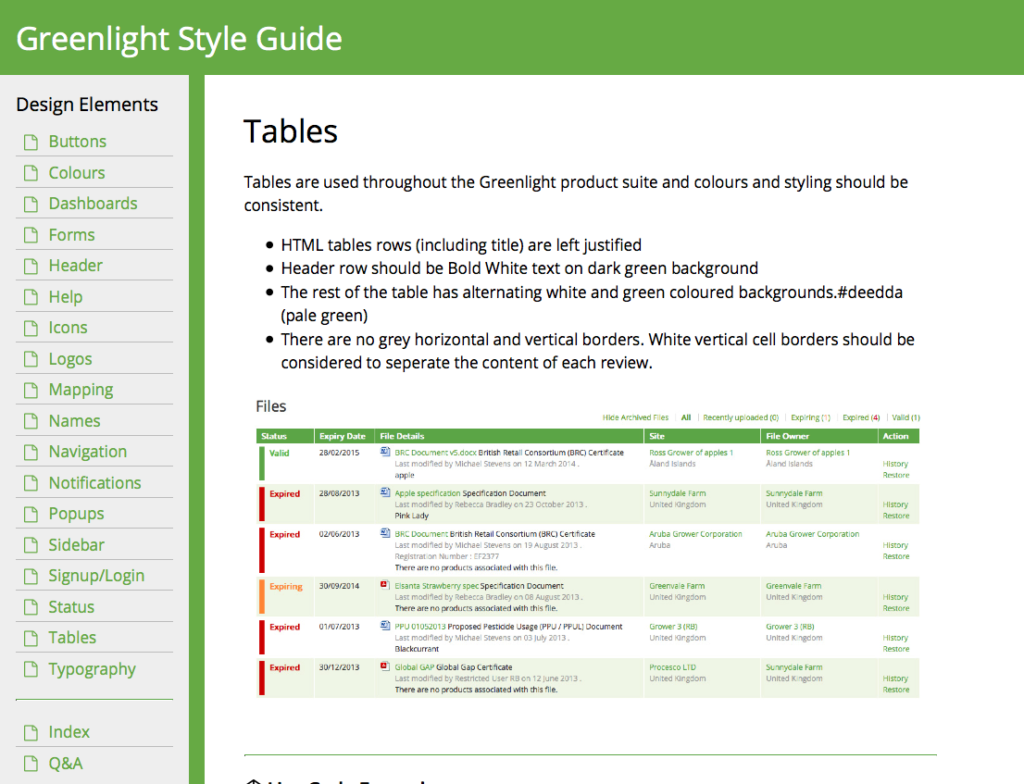
To ensure consistency across multiple SaaS products, I created and maintained an online design system with reusable UI components and coded style guidelines.
This centralised approach improved development efficiency, reduced UI inconsistencies and ensured accessibility standards were met across all applications. I regularly met stakeholders to review product changes and update the guidelines as new features were introduced.